
Choosing the right website platform is one of the most important decisions you’ll make for your business. Get it right and your site loads fast, ranks well and grows with you for years. Get it wrong, and you could be looking at an expensive rebuild in 18 months, a slow site that Google quietly buries on page three, or a rushed migration that tanks your search rankings overnight.
While Shopify , Wix and Squarespace can all produce a professional-looking website, they’re built for genuinely different jobs. Shopify is an ecommerce engine first and a website builder second. Wix is a flexible, beginner-friendly all-rounder. Squarespace is a design-led platform for brands where presentation matters most. Picking based on price alone, or because a friend used one, is how a lot of Brisbane small businesses end up outgrowing their site far sooner than they should.
This guide compares all three platforms across the things that actually affect your bottom line: ease of use, ecommerce capability, technical SEO, Core Web Vitals performance, the AI tools now built into each platform, pricing, and, critically, what happens if you ever need to migrate away. We’ve also included real-world scenarios so you can see how each platform plays out in practice, not just on a features chart.
Quick Comparison
| Feature | Shopify | Wix | Squarespace |
|---|---|---|---|
| Best for | Online stores | Small local businesses | Design-led and Creative businesses |
| Ecommerce | ⭐⭐⭐⭐⭐ | ⭐⭐⭐ | ⭐⭐⭐⭐ |
| SEO | ⭐⭐⭐⭐⭐ | ⭐⭐⭐⭐ | ⭐⭐⭐⭐ |
| AI Search Optimisation | ⭐⭐⭐⭐⭐ | ⭐⭐⭐⭐ | ⭐⭐⭐⭐ |
| Speed | Excellent | Good | Good |
| Core Web Vitals (typical) | Strong | Moderate - Good | Good |
| Ease of Use | Easy | Very Easy | Easy |
| Templates | Good | Excellent (2,000+) | Excellent (~190) |
| Blogging | Good | Good | Very Good |
| Data portability if you leave | Moderate | Low | Low |
| Scalability | Excellent | Limited | Moderate |
| Overall Winner for growing stores | 🏆 Shopify | Good all-rounder | Best for design-first brands |
Shopify: Best for Businesses That Want to Sell and Scale
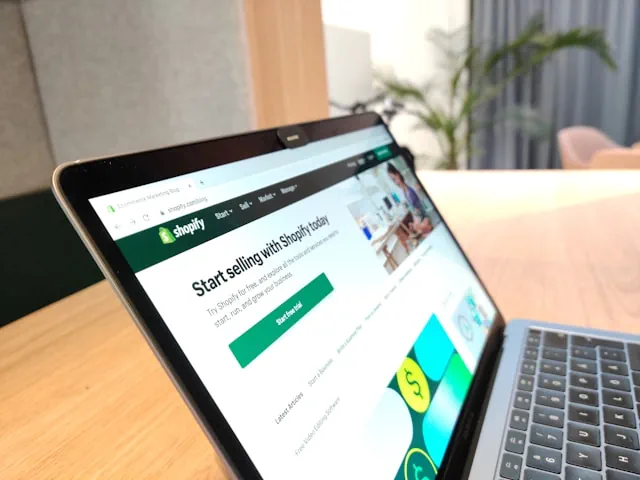
Shopify is the world’s leading dedicated ecommerce platform, and it was built from day one for selling products, managing inventory, taking payments and scaling into a larger operation. If your Brisbane business sells physical products, ships stock, or manages a growing catalogue, Shopify is generally the strongest long-term foundation.
Advantages
- Purpose-built ecommerce (checkout, inventory, shipping, tax)
- Thousands of apps for freight, loyalty, subscriptions and more
- Fast, reliable hosting included on every plan
- Strong technical SEO foundation out of the box
- Handles catalogues from ten products to ten thousand
Disadvantages
- Steeper learning curve than Wix or Squarespace for non-technical users
- Transaction fees apply unless you use Shopify Payments
- The theme editor can get messy on highly customised stores
- Ongoing app costs add up as you scale
Real-world example
Think of a Brisbane homewares brand that starts with 40 products sold locally through markets and Instagram. On a general-purpose builder, that store would likely hit friction fast, clunky checkout, limited shipping rules, no proper stock tracking. Moving to Shopify from the start (or migrating early) means the same brand can add wholesale pricing, connect to marketplaces like Google Shopping, and handle a Black Friday traffic spike without the site falling over. This is the pattern we see repeatedly with Brisbane ecommerce clients: platforms built for content struggle once real transaction volume shows up.
Wix: Best for Small, Local Service Businesses

Wix remains one of the easiest platforms to use, thanks to its drag-and-drop editor and, more recently, a conversational AI builder. It suits Brisbane businesses that mainly need a strong online presence - a booking page, a contact form, a portfolio - rather than a sophisticated online store. Think electricians, plumbers, consultants, landscapers, cafés and other local service businesses.
Advantages
- Beginner-friendly, genuinely fast to launch
- Large template library (2,000+)
- Built-in booking and appointment tools
- Solid SEO basics (custom meta titles, structured data, redirects, canonical URLs)
- Affordable entry-level pricing
Disadvantages
- Ecommerce is capable but not in the same league as Shopify for larger catalogues
- Sites can become slow if you stack too many apps and widgets
- Limited data portability if you decide to switch platforms later
- The classic Wix Editor can feel cluttered for complex sites
Squarespace: Best for Design-First and Creative Brands

Squarespace is known for elegant, designer-grade templates. If your Brisbane business is built on visual presentation - photography, interior design, architecture, boutique retail, hospitality - Squarespace is genuinely hard to beat for out-of-the-box polish.
Advantages
- Award-winning, highly polished templates (~190 in 2026)
- Strong blogging and portfolio tools
- Clean HTML, automatic XML sitemaps, SSL included
- Built-in marketing and email tools
- 0% Squarespace transaction fees on Core plans and above
Disadvantages
- Less flexible than Wix or custom code for unusual layouts
- Smaller app ecosystem than Shopify or Wix
- Ecommerce is capable for boutique stores but not built for high-volume catalogues
- Fewer advanced third-party integrations
Core Web Vitals: How Do They Actually Perform?

Google uses Core Web Vitals (Largest Contentful Paint (LCP), Interaction to Next Paint (INP) and Cumulative Layout Shift (CLS)) as a genuine ranking signal, and they’re one of the clearest indicators of whether real visitors will stick around or bounce. This is where platform architecture matters more than template choice.
| Core Web Vital | What it measures | Shopify | Wix | Squarespace |
|---|---|---|---|---|
| LCP (loading speed) | Time for the main content to appear | Generally strong, backed by global CDN hosting | Good on lean sites, can slow with heavy apps | Good, clean code base helps |
| INP (interactivity) | Responsiveness to clicks and taps | Strong on standard themes | Moderate — third-party widgets can add delay | Good on standard templates |
| CLS (layout shift) | Whether content jumps around as it loads | Low, especially on Shopify’s default themes | Can vary depending on app stacking | Low, thanks to structured template grids |
The honest takeaway: all three platforms are capable of passing Core Web Vitals on a clean, well-configured build. Where sites fail isn’t usually the platform itself, it’s bloated apps, oversized images, and unnecessary tracking scripts stacked on top. If you want to check your own site, Google’s PageSpeed Insights and the Core Web Vitals documentation on web.dev are the two tools we recommend to every client before and after a rebuild.
AI Features Built Into Each Platform (2026)
Every major platform has rushed to add AI tools over the past two years, but they’re built for genuinely different jobs.
| Platform | AI tool | What it actually does |
|---|---|---|
| Shopify | Shopify Magic & Sidekick | Free, built-in AI that generates product descriptions, email campaigns, theme content and image edits. Sidekick acts as an admin assistant that can analyse store data and configure settings from a chat interface. Shopify has also rolled out an “Agentic Storefronts” layer so products can be discovered and purchased directly through AI assistants like ChatGPT and Perplexity. |
| Wix | AI Website Builder (formerly Wix ADI) | A conversational, prompt-based site generator that builds a starting site from a plain-language description, alongside AI text and image tools, product recommenders and an AI chat assistant for customer queries. |
| Squarespace | Blueprint AI & Beacon AI | Blueprint AI is a guided, five-step generator that builds a starter site based on a chosen “brand personality.” Beacon AI is a business assistant for tasks like email copy, and Squarespace has added an AIO (AI Optimisation) Scanner that tracks how your business shows up inside AI answer engines like ChatGPT and Perplexity. |
For businesses, the practical difference is this: Shopify’s AI tools are built to drive sales (product content, personalisation, AI-assisted shopping). Wix and Squarespace’s AI tools are built to help you build the site itself faster, with content and customer-service assistance layered on top. If your priority is selling online, Shopify’s AI stack is doing more of the heavy lifting where it counts.
Which Platform Has Better SEO?

SEO in 2026 isn’t just about Google’s traditional results. It’s also about how your business shows up in AI-generated answers on ChatGPT, Gemini, Claude and Perplexity, and inside Google’s AI Overviews.
Shopify: ★★★★★ Shopify produces clean URLs, strong structured data support, fast loading pages by default, and solid Core Web Vitals out of the box. Metadata management is straightforward, and product schema is built in — all of which makes it easy for both traditional search engines and AI crawlers to understand exactly what you sell.
Wix: ★★★★☆ Wix has improved dramatically over the past few years. It now supports custom meta titles and descriptions, structured data, image alt text, 301 redirects and canonical URLs — everything a small local business genuinely needs for solid on-page SEO.
Squarespace: ★★★★☆ Squarespace offers clean HTML, automatic XML sitemaps, SSL by default, and genuinely strong blogging tools for content marketing. Advanced technical SEO customisation is more limited than Shopify, but for a design-led small business, it’s more than capable.
Which Platform Is Best for AI Search and AI Overviews?

AI search engines don’t rank purely on backlinks the way Google traditionally has. They favour websites that give clear, direct answers, use logical heading structures, carry schema markup, load fast, and demonstrate real expertise.
To improve your odds of being cited by AI tools, regardless of which platform you build on:
- Use descriptive H2 and H3 headings that mirror how people actually ask questions
- Answer common questions directly within the first sentence or two
- Add FAQ schema to key pages (see ours below)
- Use Local Business schema for Brisbane-specific relevance
- Write clear author bios and business information (Squarespace and Shopify both support this well)
- Keep content current — outdated pricing or specs actively hurt AI citation
- Link out to genuinely authoritative sources rather than stuffing keywords
All three platforms can support AI-friendly content structurally. Shopify’s newer Agentic Storefronts and Universal Commerce Protocol integrations give it a practical edge for product discovery inside AI assistants specifically, while Squarespace’s AIO Scanner is a useful (if new) way to monitor your own AI visibility over time.
The practical advice we give every client: choose based on where your business will be in three to five years, not where it is today. Migrating a website isn’t just a design job, done badly, it can cost you months of hard-won search rankings through broken URLs, lost redirects and re-indexing delays. If you’re planning a move between platforms, get a developer to map every existing URL to its new equivalent and set up proper 301 redirects before you flip the switch, not after.
Migration Considerations: What Happens If You Need to Switch Later?
This is the question most business owners don’t ask until it’s too late, and it’s arguably more important than which platform you start with.
- Shopify → elsewhere: Product, customer and order data exports cleanly via CSV, but your theme (built in Shopify’s proprietary Liquid language) doesn’t transfer. Expect a rebuild of the front-end design if you migrate away.
- Wix → elsewhere: Wix does not allow you to export your site’s code. If you switch platforms, you’re rebuilding from scratch, content, design and all. Plan for this before you invest heavily in a Wix build.
- Squarespace → elsewhere: Similarly closed. You can export blog content and some commerce data, but the design and layout stay locked to Squarespace.
- WordPress/WooCommerce, by contrast, offers the most portability of any major platform, since you own the hosting and the codebase outright, worth considering if long-term flexibility matters more to you than ease of use.
The practical advice we give every client: choose based on where your business will be in three to five years, not where it is today. Migrating a website isn’t just a design job, done badly, it can cost you months of hard-won search rankings through broken URLs, lost redirects and re-indexing delays. If you’re planning a move between platforms, get a developer to map every existing URL to its new equivalent and set up proper 301 redirects before you flip the switch, not after.
Pricing Comparison
| Platform | Starting Price* | Transaction fees |
|---|---|---|
| Shopify | Higher | Waived with Shopify Payments; otherwise apply |
| Wix | Lower | None on standard plans |
| Squarespace | Moderate | 0% on Core plans and above |
*Pricing changes regularly, so always check each provider’s latest plans before making a decision.
Free Website Audit
Is Your Website Quietly Losing You Customers?
Share your website and a few details. Sevda will review the main opportunities for search visibility, trust and enquiries, then email you the findings and a practical next step.
What your review covers
- How easy it is to use your site
- Whether visitors can find the next step
- Local search visibility
- Page speed and mobile experience
- Content and trust signals
- Clear opportunities to improve enquiries
The findings depend on your website; no scores are shown before a review.
Common Mistakes Brisbane Businesses Make When Choosing a Platform
- Choosing on price alone, then hitting a wall six months later when the store needs proper inventory management
- Underestimating app costs on Wix or Shopify, where a handful of add-ons can double your monthly spend
- Ignoring migration cost entirely, then facing a full rebuild (and a temporary SEO dip) when the business outgrows the platform
- Treating AI website builders as a finished product, when in practice every AI-generated draft still needs real content, real photography and genuine SEO work before it’s ready to compete
Which Platform Should You Choose?
Choose Shopify if:
- You sell products online
- You expect to grow
- You need inventory management
- You want the best ecommerce features
- SEO is important
Choose Wix if:
- You’re a local service business
- You have a smaller budget
- You want to build your own website
- You don’t need advanced ecommerce
Choose Squarespace if:
- Design is your highest priority
- You’re a photographer
- You’re an artist
- You’re a creative professional
- You want an attractive portfolio website
Our Recommendation
At Sevinu, we generally recommend:
🥇 Shopify for ecommerce businesses and,
🥈 WordPress for businesses focused on content marketing and long-term SEO
Squarespace remains an excellent option for creative portfolios but is often less flexible for businesses planning significant growth. The best platform ultimately depends on your business goals, budget, technical requirements and future plans.
Conclusion
There’s no single website builder that’s right for every business. Shopify is the strongest choice for Brisbane businesses focused on ecommerce and long-term growth. Wix is ideal for local service businesses and beginners who want an easy-to-manage site. Squarespace excels for creatives who prioritise visual design and portfolio presentation.
Before you choose, think about where your business will realistically be in three to five years, not just where it is today. Picking a platform that matches your future goals - not just your current budget - saves time, money and the headache of migrating later.
Need Help Choosing the Right Website Platform?
Choosing the wrong platform can limit your business growth and lead to costly migrations in the future.
At Sevinu, we help businesses across Brisbane and Australia choose, design and build websites that are fast, SEO-friendly and optimised for both Google Search and AI-powered search experiences.
Whether you need:
- A custom Shopify store
- A professional business website
- Website redesign services
- Ongoing SEO
- Website maintenance
We’re here to help.
Contact Sevinu today for a free consultation and let’s build a website that supports your business now and into the future.
FAQs
Can I migrate my website from Wix or Squarespace to Shopify later without losing my Google rankings?
Yes, but it needs to be done carefully. Every existing page URL should be mapped to its new equivalent with a proper 301 redirect, your XML sitemap needs to be resubmitted to Google Search Console, and your site structure should stay as close as possible to the original. Done properly, most sites recover fully within a few weeks; done carelessly, you can lose months of rankings.
Which platform is easiest to optimise for Google AI Overviews and AI search engines like ChatGPT?
All three platforms can support AI-friendly content when it’s structured well — clear headings, direct answers, FAQ schema and up-to-date information matter more than the platform itself. Shopify currently has an edge for product discovery inside AI shopping assistants specifically, thanks to its Agentic Storefronts feature.
Do I need a developer to build a Shopify store, or can I do it myself as a Brisbane small business owner?
Shopify’s theme editor is genuinely usable for non-developers for a simple store. Where it’s worth bringing in a developer is custom functionality, theme customisation beyond the basics, and getting the technical SEO foundation (site speed, schema, structure) right from launch — mistakes here are expensive to unwind later.
How much does it typically cost to build a proper ecommerce website for a Brisbane business?
Costs vary widely depending on catalogue size, custom design work and integrations, but most small to mid-sized Brisbane ecommerce builds sit well below the cost of a poorly planned platform migration a year later. If you’d like an accurate estimate for your specific business, get in touch with Sevinu for a free quote.